A failed Panel PC can stop an otherwise serviceable machine. The obvious response is to look for another 15-inch, 24 V unit with a similar front panel. That is also where many replacement projects begin to go wrong. The bezel may cover the opening while the mounting cutout does not match. The computer may boot, but the application cannot communicate with a serial device. The new model may accept 24 VDC, yet use a different connector or behave differently when power returns after an outage.
Replacing a Panel PC in brownfield equipment is therefore an interface matching exercise, not simply a display purchase. Mechanical dimensions, power, signals and software have to be considered together before a successor can be selected with confidence.
First establish what the installed unit actually does
The display mounted in a control cabinet is not necessarily a Panel PC. Three architectures are common, and each leads to a different replacement path.
- A Panel PC combines the display, touchscreen and industrial computer in one enclosure. The operating system and application run locally.
- A dedicated HMI terminal normally relies on a vendor specific runtime and engineering project. Project files, software versions and licensing can be more important than the processor specification.
- An industrial monitor provides the display and touch interface, while the software runs on a separate Box PC or control cabinet computer.
This distinction should be resolved before contacting suppliers. It determines whether the job is a hardware replacement, a software migration or an opportunity to separate the display from the computing platform.
Mechanical compatibility starts with the cutout
Screen diagonal is a poor predictor of mechanical fit. Two 15-inch Panel PCs can have different cutouts, bezel dimensions, enclosure depths and connector locations. The original drawing and the candidate model drawing are the documents that matter.
At minimum, compare the following:
| Interface | What must be checked |
|---|---|
| Mounting cutout | Exact width and height of the existing opening, including corner radii where relevant |
| Front bezel | Sufficient overlap around the cutout and enough space beside adjacent controls |
| Rear envelope | Chassis depth plus clearance for plugs, cable bends and service access |
| Panel conditions | Permitted panel thickness, flatness and the mounting surface required for the front seal |
| Retention method | Clamp positions, tightening requirements and access during installation |
| Connector orientation | Possible interference with cable ducts, door braces and components inside the cabinet |
A mechanically suitable replacement does not always need an identical cutout. An adapter plate can be a controlled engineering solution, particularly when modifying the cabinet door would be costly or when the same conversion will be rolled out across several machines. The dimensions and mounting arrangement must still be documented as part of the replacement design.
Front protection also depends on correct installation. The gasket, panel thickness, surface condition and clamp engagement all affect the finished assembly. A protection rating on the product specification is not a substitute for following the mounting requirements.
Keep the operator interface stable unless a redesign is intentional
Many installed machines still use 4:3 displays at 800 × 600 or 1024 × 768. Moving to a widescreen panel may appear attractive, but it can turn a hardware replacement into a user interface project. Fixed window positions, alarm pages, button sizes and graphics do not automatically adapt to a new aspect ratio.
Touch technology can have the same effect. Resistive touch remains appropriate where operators use gloves or a stylus and where the existing interface was developed around single-point input. Projected capacitive touch provides a different response and may support multi-touch operation. Neither technology is universally better; the choice must match the operator, environment and application.
Brightness, viewing angle, native resolution and the touch controller interface should be recorded from the installed system. If the existing visualisation is to remain unchanged, matching its operating resolution and aspect ratio is often more valuable than selecting the display with the highest pixel count.
Power compatibility goes beyond the voltage label
The Panel PC is part of the machine power design. “24 VDC” alone does not establish compatibility. Current products may use a fixed 24 V input, a 12 to 36 VDC range or a 9 to 29 VDC range. These are different electrical specifications, even if all three can operate from a nominal 24 V supply.
The replacement review should cover:
- nominal input voltage and the permitted range
- worst-case power consumption of the selected configuration
- available capacity in the existing power supply
- start-up behaviour and any relevant inrush current
- connector type, location, polarity and pin assignment
- protective earth and the machine shielding concept
- isolated or non-isolated input, where this matters to the installation
- automatic start after power is restored
- any UPS or DC buffering already used in the machine
Bus-powered USB devices, additional storage and expansion cards can change the load. A split architecture with an industrial monitor and a separate Box PC also creates two power consumers instead of one. The complete operating condition must be checked, not just the nominal voltage printed on the old nameplate.
Map every signal path, not just the connectors
Counting ports is not enough. The replacement must reproduce the electrical and protocol functions that the machine actually uses.
For Ethernet and USB, document the connected devices and required data rates. For serial communication, record whether each port runs as RS-232, RS-422 or RS-485, along with its pinout, termination and any handshake signals. A DB9 connector does not by itself define any of those details. CAN, digital I/O, audio, external display outputs and remote power controls should be treated in the same way.
Expansion hardware deserves particular attention. Legacy systems may contain PCI or Mini PCIe cards for fieldbus communication, motion control, data acquisition or proprietary I/O. A current Panel PC may provide only PCIe, M.2 or no internal expansion slot at all. The project then needs a compatible replacement card, an external interface or a different system architecture. That decision affects enclosure size, driver support, power consumption and validation effort.
Secure the software before choosing the new hardware
A Panel PC that fits and powers up is not yet a working replacement. The application stack must run on the new processor platform, operating system and device drivers.
Before the old unit becomes unavailable, retain as much of the following as possible:
- a verified storage image or full backup
- application installation media
- HMI or visualisation project files
- runtime and operating system licence information
- passwords and configuration records
- drivers for communication and expansion hardware
- details of USB dongles or hardware-bound licence keys
An image from an older computer will not necessarily boot on a current platform. Changes in chipset, storage controller, graphics, network interfaces and BIOS or UEFI configuration can prevent a direct restore. Even when Windows starts, legacy drivers or licensing mechanisms may fail.
Some projects can retain the existing application through a clean installation on supported hardware. Others require a newer runtime, a revised visualisation or a complete software migration. That distinction should be made before a replacement model is ordered, because the engineering work can cost far more than the Panel PC itself.
Select the replacement route that fits the installed base
There is no single retrofit pattern for every brownfield system. Most projects follow one of these routes:
| Installed situation | Practical replacement route | Main implication |
|---|---|---|
| A current successor matches the mechanics and supports the application | Direct replacement | Power, I/O, drivers and recovery behaviour still require validation |
| The hardware is suitable but the cutout differs | New Panel PC with a designed adapter plate | The cabinet door can often remain in service |
| Future display and CPU upgrades should be independent | Industrial monitor with a separate Box PC | Two components, power feeds and connection paths must be engineered |
| The project benefits from replaceable display and computing modules | Modular Panel PC platform | Service and future upgrades depend on the module ecosystem |
| The existing runtime, drivers or project cannot be retained | Hardware replacement with software migration | The scope expands to visualisation, communication and licensing |
The lowest hardware price rarely identifies the lowest project cost. Cabinet modifications, application redevelopment, fieldbus replacement and repeated commissioning can easily outweigh the difference between two Panel PC configurations.
Current platforms still cover established display formats
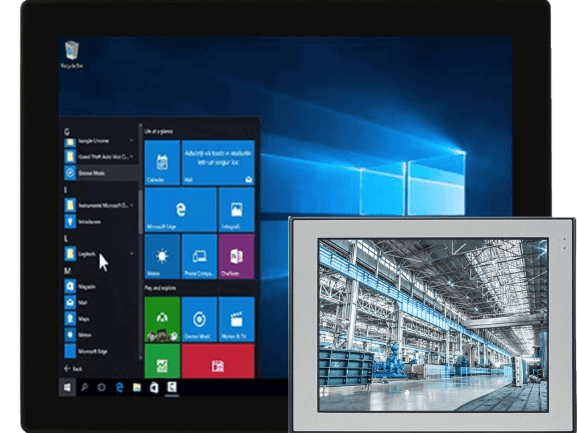
The market has not moved exclusively to widescreen displays and projected capacitive touch. Current product families are still available for machines built around 4:3 formats and resistive operation. The NEXCOM APPC-1260T-A01, for example, combines a 12.1-inch 4:3 display, resistive touch and a 24 VDC input with a current Intel processor platform. ARBOR also maintains current Panel PC models in established 4:3 sizes with resistive touch and wide-range DC input options.
Modular systems address a different requirement. Winmate M Series models separate the display module from the computing unit, allowing both sides of the system to be considered independently. Current examples include the Winmate R12ITWS-MHM2 and Winmate R15ITWS-MHC3. Darveen uses modular CPU and I/O boards in selected DPC Series Panel PCs.
These are alternative design approaches, not drop-in equivalents. The cutout, power input, interfaces and application requirements still determine the correct model. Further sizes and configurations are available in the IPC2U Industrial Panel PC range.
Prove the replacement on one machine before rollout
Where several identical machines are involved, the first converted unit should become the qualification system. A successful Windows boot is only the beginning of that test.
The validation plan should include:
- mechanical fit, clamp engagement and front sealing
- power consumption, start-up and restart after a power interruption
- display output, touch calibration and operator usability
- Ethernet, serial, fieldbus and other I/O communication
- application functions, licences and connected peripherals
- thermal behaviour under a representative workload
- backup and recovery using the intended service procedure
Only after these checks is it reasonable to release the configuration as a repeatable replacement for the remaining installed units.
What IPC2U needs for an initial assessment
A complete machine drawing is not normally required for the first review. The following information is usually enough to eliminate unsuitable candidates and identify the realistic replacement routes:
- manufacturer and exact model of the installed unit
- photograph of the nameplate, front, rear and all connectors
- original drawing or measured cutout, bezel size and available rear depth
- display size, resolution, aspect ratio and touch technology
- input voltage, connector pinout and power supply rating
- interfaces, expansion cards and fieldbus hardware in use
- operating system, application, runtime and licence method
- available image, backup or project files
- operating temperature, required front protection and unusual environmental loads
- quantity and planned conversion schedule
IPC2U evaluates replacement projects independently of any single vendor and draws on long-standing market experience in industrial computing. This allows current standard platforms from multiple manufacturers to be compared against the actual cutout, power, I/O, software and product availability requirements. The objective is not a costly clean-sheet development, but a technically sound and commercially sensible replacement based on available standard products.
Send IPC2U the details of the installed Panel PC and your project requirements. We will compare suitable systems across manufacturers and prepare a technically grounded shortlist and quotation.