A building management system may supervise HVAC equipment, collect meter readings, store years of trend data and report alarms across several sites. Its server is expected to remain accessible long after the initial commissioning team has left. Yet hardware specifications are often reduced to a processor, a memory figure and a pair of SSDs.
Those components matter, but they do not describe the complete deployment. A server installed in a dedicated IT room faces different constraints from one operating in a plant room. Remote access, storage recovery, power continuity and the ability to replace the same hardware years later can be just as important as CPU performance. This is where configurable industrial PCs and compact industrial servers offer useful alternatives to conventional tower equipment.
Where does the server fit in a building automation system?
Heating, ventilation and other building services are commonly controlled by local controllers. A supervisory platform brings information from those devices together: alarms, schedules, operating states, historical trends and dashboards. It may also support several buildings from a single management interface.
Niagara 4 Supervisor is one example. It can connect Niagara-based JACE and Edge controllers and integrate other supported IP devices, providing centralized monitoring, trending, alarm management and engineering functions. Other building management system (BMS) platforms perform similar tasks, although their software and hardware requirements differ.
The distinction between local control and supervision is important. The central BMS server should not be assumed to replace the controllers responsible for time-critical functions. Where the system architecture allows it, those controls should continue to operate locally if the supervisory connection is interrupted.
What hardware does a Niagara 4 Supervisor require?
Tridium's 2025 Niagara Supervisor datasheet specifies at least 16 GB of memory and a 512 GB SSD. For larger deployments, it recommends 32 GB or more. Actual sizing depends on connected points, polling frequency, trend collection, concurrent users and the workload of the applications running on the host.
| Component | Tridium Niagara Supervisor datasheet, 2025 |
|---|---|
| Processor | Intel Xeon 4th Gen or later; Intel Core i-series 12th Gen or later; AMD Ryzen 5 Gen 3 or later |
| Memory | 16 GB DDR4 minimum; 32 GB or more recommended for larger systems |
| Storage | SSD, 512 GB minimum; more according to archiving requirements |
| Network | 10/100/1000 Mb Ethernet with RJ45 |
| Display | Minimum 1920 × 1080 resolution |
| Operating systems | Windows 11 x64, Windows Server 2025, Red Hat Enterprise Linux 9.x or Ubuntu 24.04 LTS |
These are the requirements published in the 2025 datasheet, not an unconditional compatibility statement for every Niagara 4 release. Earlier software versions may have different supported operating systems. The listed Xeon generation also should not be interpreted as a blanket approval for every Intel Xeon D processor. The exact CPU, operating system, drivers and Niagara release must be checked together before specifying the server.
For projects using a virtual machine, the available host resources and the supported deployment method require their own review. A processor name and nominal RAM capacity alone do not establish application compatibility.
Storage resilience: RAID 1, SATA and NVMe
A mirrored pair of SSDs is a common requirement for building management servers. In a properly configured RAID 1 array, the system can continue operating after a single drive failure, provided the controller, boot setup and recovery procedures support it.
RAID does not protect against accidental deletion, database corruption, ransomware or an incorrect software update. The BMS database, application configuration, credentials and licensing information also need a documented backup and restore procedure. A recovery test is more useful than an unverified statement that backups are being made.
SATA and NVMe describe different storage interfaces and protocols; both can be used with SSDs. NVMe generally enables much higher throughput via PCIe, but that does not automatically shorten normal BMS response times. Trend recording, database operations and retention policies determine the actual storage workload. SSD endurance, monitoring and supported RAID recovery can matter more than a peak transfer-rate figure.
Why use an industrial server for a long-lived building installation?
Building automation equipment is often retained for many years. Replacing a failed computer may be straightforward only if its expansion interfaces, firmware and drivers still support the deployed software. A faster but incompatible replacement can require significant recommissioning.
Industrial computer platforms can address this problem through planned product availability, controlled component revisions and documented engineering changes. These practices make it easier to assess the effect of a replacement network controller, BIOS revision or storage device before it is deployed in an existing system. They are valuable for multi-site rollouts where consistent configurations must remain available over an extended period.
Availability also depends on the power architecture. On suitable industrial server platforms, redundant power supplies allow one module to maintain operation if the other fails. This is a configuration capability, not a standard feature of every industrial PC. A UPS may still be required: two power modules fed from a single interrupted source do not provide protection against a building-wide power failure.
IPC2U configures industrial servers to the requirements of individual BMS projects, including processor and storage selection, RAID and, on appropriately designed platforms, ECC memory, IPMI-based remote management and redundant power supplies. The exact features are defined by the selected system configuration.
When is a compact fanless server the better choice?
A tower chassis may be convenient in an IT room but impractical near building services equipment. Compact industrial systems can fit better in restricted plant rooms or distributed technical locations, provided their mounting, supply voltage and thermal conditions are suitable.
Fanless construction removes cooling fans and their bearings as potential mechanical wear points. It also changes the thermal design: heat must be transferred through the chassis and dissipated into the surrounding air. Continuous CPU load, SSD temperatures, clearance around the unit and ambient temperature must be evaluated together. Fanless does not automatically mean a wider operating temperature range.
An independent baseboard management controller (BMC) is another useful capability. With IPMI or a comparable out-of-band interface, a technician may inspect hardware status and perform certain management tasks even when the main operating system is unavailable. The BMC interface must be kept on a protected management network rather than exposed to the public internet.
Configurable iKERN industrial PCs
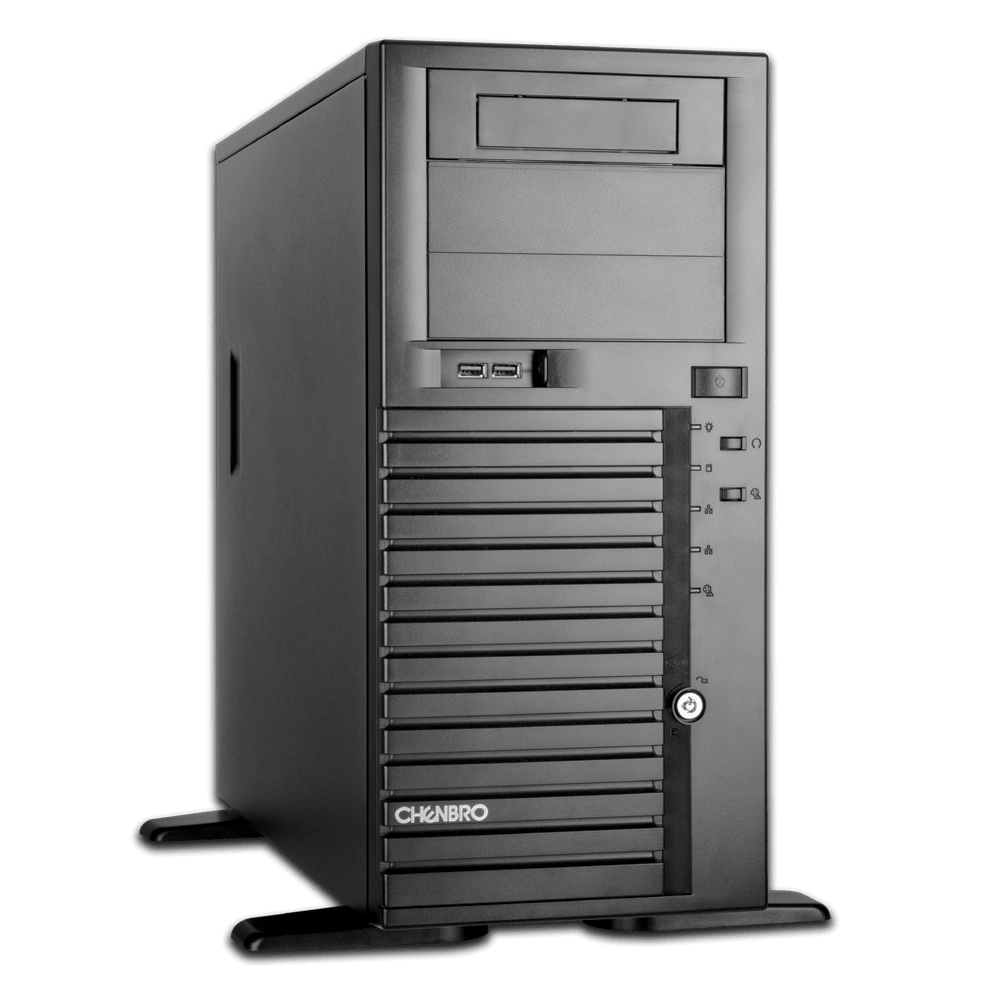
The iKERN-T060-A800 provides a tower-format industrial PC platform with an Intel Core Ultra processor and PCIe expansion options. For rack installations, the iKERN-4060-A800 offers a 4U chassis with room for additional hardware.
IPC2U can tailor processor, memory, SSD configuration, network connectivity, expansion cards and operating system installation to the project. Where ECC, out-of-band management or redundant power is required, an appropriately equipped industrial server platform can be selected. These capabilities must not be assumed to be present in the standard configurations of the two examples above.
Heptagon HQ-Box2: compact industrial server hardware
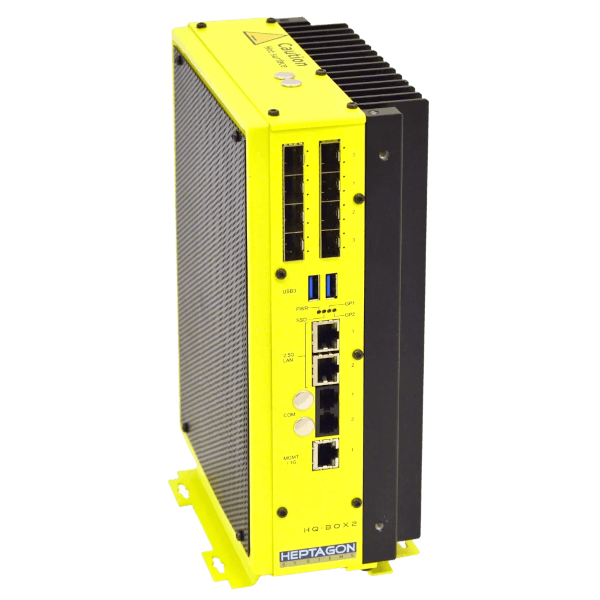
The Heptagon HQ-Box2 Storage-M6 takes a different approach. It is a fanless server platform based on Intel Xeon D-1700/1800 processors, with DDR4 ECC memory, an AST2600 management controller and support for multiple M.2 NVMe drives. Depending on the configuration, it can also provide 2.5 GbE and SFP+ network connections. The published product specification lists a 12 V DC input.
Its form factor is relevant for distributed BMS installations where a conventional tower or rack server is difficult to accommodate. However, the platform should not be described as universally certified for Niagara 4. The chosen Xeon D SKU, Niagara release, operating system and RAID implementation need to be validated for the actual project.
How do BACnet, Modbus and M-Bus devices reach the BMS server?
Older buildings rarely contain a single communications standard. BACnet/IP may connect automation controllers, Modbus TCP may be used by networked plant equipment, serial Modbus RTU may remain in existing installations, and M-Bus is widely used for utility and consumption meters.
A gateway is not needed wherever the BMS software or a controller already supports the required protocol. It becomes useful where the source equipment and the supervisory network use different protocols, or where serial devices need to be connected to an Ethernet infrastructure.
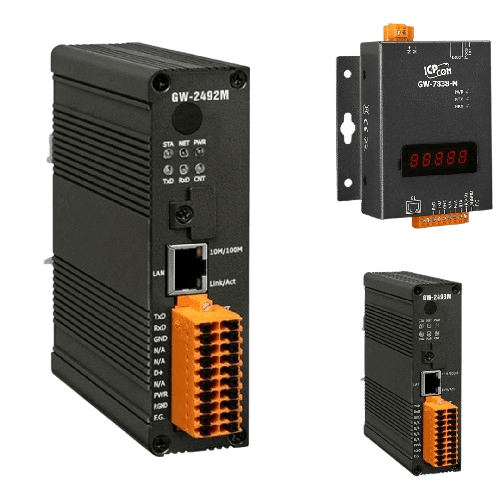
For example, IPC2U supplies these ICP DAS GW-2492M and GW-2493M gateways for integrating Modbus RTU and Modbus TCP devices, respectively, into BACnet/IP networks. For metering applications, the ICP DAS GW-7838-M connects an M-Bus meter network to Modbus TCP.
The gateway makes protocol data accessible; it does not automatically create a complete BMS database, validate point names or map every meter value to the intended engineering unit. Device mapping and end-to-end integration remain part of the system integrator's commissioning work.
Network architecture, remote access and maintenance
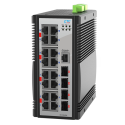
The BMS server, automation controllers, field gateways and management ports should not all be treated as one unrestricted network. Managed industrial Ethernet switches can provide VLAN separation, while firewalls and access policies enforce communication boundaries. Fiber connectivity may be useful between plant rooms or separate buildings.
Remote servicing requires particular care. BMS access and BMC management should use restricted credentials and secured connections. BACnet Secure Connect (BACnet/SC) supports TLS-based communications where the participating software and devices implement it; an ordinary BACnet/IP or Modbus gateway does not automatically support BACnet/SC.
A maintainable installation also needs planned software updates, tested backups, power protection and a documented replacement strategy. Operating system support, firmware availability, SSD health and network hardware should be reviewed as parts of the same system rather than separate purchasing decisions.
Building automation hardware configured by IPC2U
IPC2U supplies configurable industrial server platforms ranging from iKERN tower systems and 4U rackmount industrial PCs to the compact Heptagon HQ-Box2 Storage-M6. ICP DAS BACnet gateways and M-Bus gateways complement these systems when existing equipment or meters must be integrated.
To select a configuration, the key inputs are the BMS platform and software release, the expected number of points and users, trend-retention requirements, installation environment and requirements for ECC, RAID, remote management and power redundancy. Send IPC2U your project requirements so the hardware can be configured for the intended installation.