


An embedded computer may have enough processing power for an application but lack a particular interface: another Ethernet connection, four serial ports, an isolated CAN channel or a dedicated link to a sensor. Replacing the motherboard is one way to solve the problem. In some designs, an M.2 expansion module is a less disruptive alternative.
The choice is not as straightforward as finding a card that fits the slot. Industrial expansion modules may need PCIe lanes, a separate power input, a connector board, external cabling and operating-system drivers. Those requirements matter as much as the module's advertised function, especially when the computer is being designed into equipment that will remain in service for years.
The M.2 connector is only the starting point
M.2 defines a family of compact cards and sockets, including their dimensions and mechanical keying. It does not identify a single data interface. Depending on the host board, an M.2 socket may carry PCI Express (PCIe), SATA, USB or a particular combination of signals.
A 2280 card measures 22 × 80 mm; 2242 means 22 × 42 mm. Cellular modules commonly use wider 3042 or 3052 formats. These numbers establish the physical footprint, not the electrical capabilities. A suitable notch in the edge connector is not proof of compatibility either.
| M.2 keying | Common applications | What to verify on the host |
|---|---|---|
| M-key | NVMe SSDs, selected network and accelerator cards | PCIe generation and lane count; SATA where required |
| B-key | Cellular modules, some SSDs and industrial I/O | Available PCIe, USB or SATA signals; SIM connection for modems |
| E-key | Wi-Fi, Bluetooth and compact expansion cards | PCIe/USB wiring, firmware and wireless-module compatibility |
| B+M or A+E keyed modules | Storage and selected communications or accelerator cards | Mechanical fit and the actual interface required by the module |
Consider a B+M keyed SATA SSD. It can physically fit certain M-key sockets, but it will not operate in a socket wired solely for PCIe. Wireless cards have their own traps: an Intel AX201 uses a CNVio2 host connection, whereas the AX200 uses a conventional PCIe connection for Wi-Fi. Similar dimensions do not make them interchangeable.
For industrial I/O, there is another complication. The M.2 card frequently sits inside the computer while its Ethernet, CAN or serial connectors are mounted on a separate daughterboard or taken to the enclosure through a cable assembly. The installation must accommodate the entire assembly, not just the card.
Adding Ethernet without a full-size PCIe card
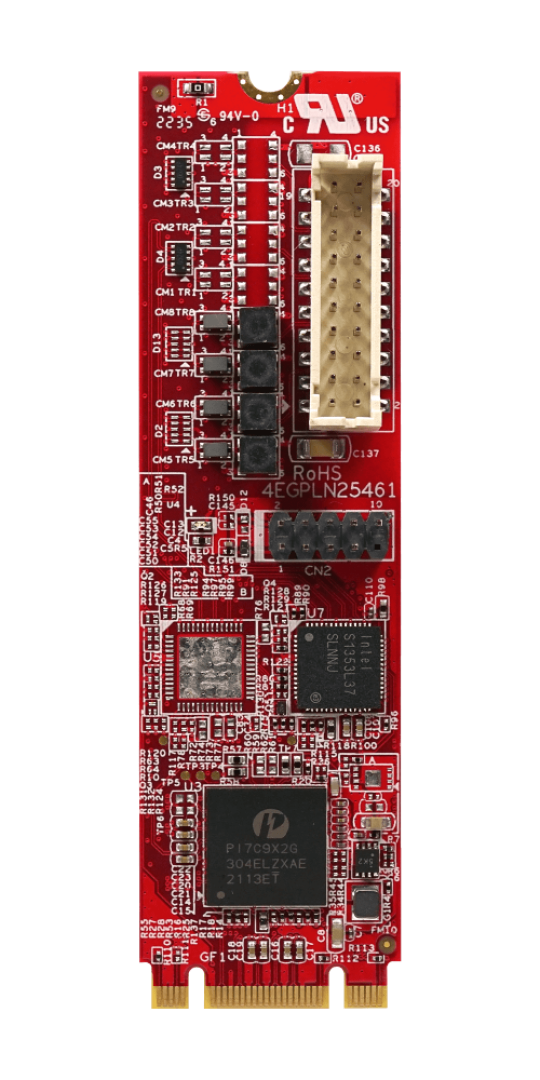
Small industrial computers typically have a fixed number of Ethernet ports. M.2 LAN modules make it possible to add a connection without occupying a conventional expansion slot. Options range from Gigabit and 2.5GbE to specialised 10GbE designs.
The Innodisk EGPL-21N1-C1 in the IPC2U catalogue is a 2280 module providing one additional 2.5GbE interface. At the other end of the range, Innodisk's EGPL-T2F1 uses PCIe Gen3 x4 to support two 10GbE SFP+ connections through a separate connector board.
That higher bandwidth has a physical cost. The dual-SFP+ design has a specified maximum power draw of 10.1 W, and Innodisk rates its operating ambient temperature at 0 to +55 °C. It also requires a route from the internal module to accessible SFP+ sockets. It would be misleading to describe such a product as a simple drop-in upgrade for any fanless PC.
Applications requiring precise network timing may also need features such as Precision Time Protocol (PTP). Support must be checked for the particular controller, driver and application; it cannot be assumed merely because the module provides 10GbE.
Keeping serial equipment and CAN networks connected
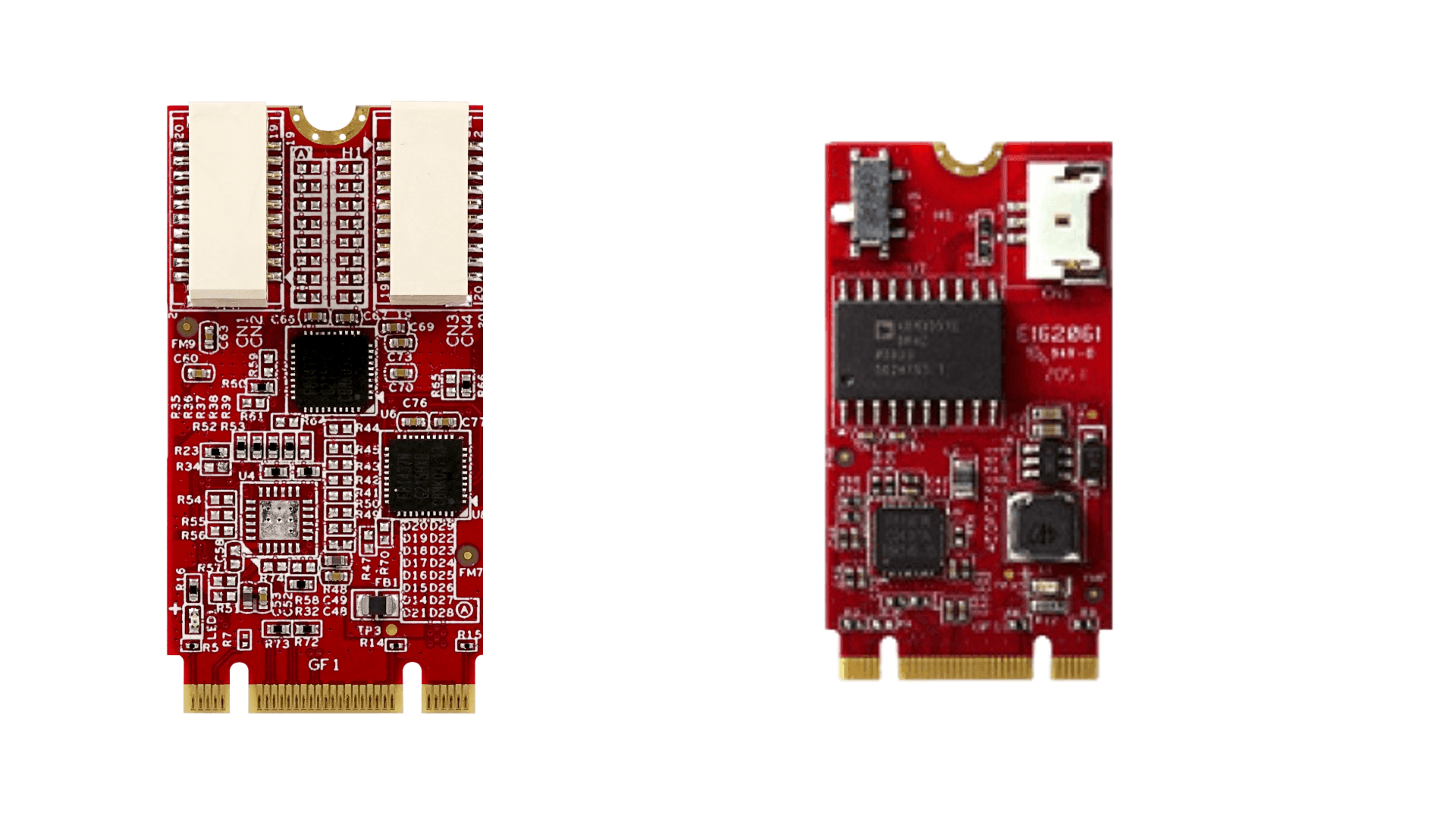
RS-232, RS-422, RS-485 and CAN remain in use across machinery, instrumentation and vehicle-related systems. A compact motherboard may not carry enough of these interfaces, even when its CPU and memory are otherwise sufficient.
Innodisk's EGP2-X403-W2 is one example: a 2242 M.2 card with four RS-232 channels brought out through cables and DB9 connectors. The EGPC-B1S1-W1 provides one isolated CAN 2.0B channel. Innodisk offers a separate W2 variant for J1939/CANopen applications. Neither variant should be confused with a CAN FD interface.
For these functions, the relevant specifications extend well beyond port count. An engineer needs to know the isolation rating, protection against electrical disturbances, termination options, signal levels and supported drivers. CAN communication also depends on the physical network and the protocol stack used by the application.
A driver recognising the card under Windows or Linux is only the first test. Existing software may expect a particular COM-port assignment, CAN API or timing behaviour. Migration testing should use the actual field device and protocol, not just a successful driver installation.
Measurement and control I/O: a less obvious use for M.2
M.2 is also used for data-acquisition hardware. Specialist manufacturers offer cards for analogue inputs and outputs, isolated digital I/O, counters and SSI absolute encoders. These products may remove the need for a custom I/O daughterboard when a compact PC has to communicate with sensors or motion-related equipment.
The electrical requirements differ from those of an ordinary computer peripheral. Input range, resolution, sample rate, isolation, input protection and connector design have to match the measurement. Triggering and synchronisation may be important when measurements must be correlated with other events. Some applications also require predictable timing that a general-purpose operating system cannot guarantee on its own.
Such modules are available on the wider market; this does not mean that every specialist data-acquisition card forms part of the IPC2U catalogue. Where a function is particularly demanding, an external industrial I/O system or an established PCIe measurement card may be the more practical approach.
More ports do not necessarily mean more throughput
USB and storage expansion cards illustrate the distinction between the number of connectors and the capacity of the host link.
The Innodisk EGPU-3401 provides four USB 3.0 ports from a single M.2 module, but those ports share one PCIe 2.0 x1 connection to the computer. It also requires an external 12 V supply. Four attached cameras therefore cannot each expect a dedicated, unrestricted 5 Gbit/s path to the host. Actual sustained transfer rates depend on the devices, controller and shared connection.
A related issue arises with SATA expansion. M.2 controllers can expose additional SATA ports, and some offer RAID 0 or RAID 1. Their combined performance remains limited by the controller and its upstream PCIe connection. RAID 1 may help maintain operation after a drive failure, but it does not replace a backup.
Power over Ethernet requires particular care. The Innodisk EGPL-G2P1 provides two IEEE 802.3af power-sourcing ports, rated for up to 15.4 W at each port. It uses an additional 12–24 V supply rather than relying on the M.2 slot to power connected equipment. The DC supply, connector assembly, available cooling and overall system power budget all have to be considered together.
M.2 display modules also exist, including variants with HDMI, DVI-D or LVDS outputs. With an LVDS panel, interface type alone is insufficient: signal mapping, voltage, panel timing and firmware support are part of the design.
Storage, wireless and AI: different workloads, different checks
Storage remains one of the most common M.2 uses. Industrial SSDs are available with SATA or PCIe/NVMe interfaces, and the latter can offer substantially higher transfer rates. Yet peak read speed is not the main selection criterion for every industrial application. A continuously logging system brings sustained writes, flash endurance, thermal behaviour, controller firmware and power-failure handling into the decision.
The IPC2U industrial M.2 SSD range includes both SATA and PCIe devices. Endurance figures, NAND types and power-loss protection deserve a separate technical comparison; the label industrial SSD does not imply that every model has the same protections.
Wireless modules raise a different set of questions. An M.2 Wi-Fi card needs appropriate host wiring, drivers and antenna connections. A cellular module may require USB or PCIe, a SIM or eSIM connection, sufficient power and careful antenna placement. Frequency bands and regulatory approvals must be considered for the final equipment and the regions in which it will operate.
M.2 also provides a route to dedicated AI inference accelerators. Before selecting one, check the PCIe interface, software runtime, driver support, model compatibility and sustained thermal load. A published TOPS rating is not a measure of application throughput on its own.
The installation has to work as a complete system
Expansion planning should begin with the motherboard schematic or system manual, not a list of available M.2 cards. Some slots share PCIe resources with other connectors. Others provide fewer lanes than their mechanical keying might suggest. Enabling a particular M.2 function can also disable an existing SATA port or another expansion option on some platforms.
Then comes the enclosure. Daughterboards, antenna leads, DB9 cables and RJ45 or SFP+ connectors need room and a suitable exit path. Cable shielding, grounding, strain relief and electromagnetic compatibility can change when new external interfaces are added. A card that survives its own specified operating-temperature range may still overheat in a tightly packed fanless system.
Qualification should cover the installed configuration: firmware, drivers, operating-system version, power supply, connected peripherals and sustained operation at the expected ambient conditions. Seeing the card in Device Manager is not evidence that its intended I/O functions work correctly.
When a conventional expansion approach is better
M.2 can avoid a motherboard redesign, but it is not inherently the best way to add industrial I/O. A full-size PCIe card gives designers more room for connectors, isolation components and heat dissipation. A computer with the required ports already integrated may be simpler to cable, support and reproduce. External Ethernet or USB I/O can make more sense when sensors are spread across a machine rather than located near the CPU.
The longer a product must remain available, the more closely the whole assembly needs to be managed. Module revision, controller, firmware, driver package, connector board and cable pinout may all affect interchangeability. A product-change notification or a new part number can require requalification even when the replacement has the same nominal M.2 dimensions.
For a series production programme, the question is therefore not only whether the module works today. It is whether the complete configuration can be built, serviced and replaced over the expected equipment lifecycle.
Specifying an M.2 expansion with IPC2U
The IPC2U range of Innodisk M.2 and Mini-PCIe modules includes Ethernet, CAN, serial communication and other I/O options. IPC2U also supplies industrial motherboards and embedded computers that can be selected around a particular interface requirement.
The Axiomtek CAPA561-LGA-2LC, for example, has separate M-key, B-key and E-key M.2 sockets. That makes the board flexible, but does not establish compatibility with every M.2 network or I/O card. The electrical signals and available space still need to be checked against the exact module and board revision.
For an engineering enquiry, the most useful starting information is the computer or motherboard model, required protocols and port count, operating system, enclosure constraints, expected operating temperature, production quantity and intended service life. With those details, IPC2U can assess whether an M.2 module, a different expansion method or a computer with the necessary interfaces built in is the more suitable option. Discuss the application with IPC2U.
